Page 2 of 3
Re: Photos having a go
Posted: Thu Jan 19, 2012 10:54 pm
by Horus
Sorry Keefy, yes it is on top of the new forum, but it was quite hard to see as the new window is a lot brighter and it is quite hard to make out the very dimmed out background.
Re: Photos having a go
Posted: Thu Jan 19, 2012 10:56 pm
by Kiya
Oh dear no no no

clicked on photo & I'm still getting the message to " open " & to " save " to my computer.
Shall try again tomorrow, brain dead now

Re: Photos having a go
Posted: Thu Jan 19, 2012 11:00 pm
by Horus
Testing loading a quite old picture from my album, can you see this full size Kiya?

By the way Kiya just close the album after you have chosen your picture, its easier that way.
Re: Photos having a go
Posted: Thu Jan 19, 2012 11:04 pm
by Kiya
General Error
SQL ERROR [ mysqli ]
Unknown column 'p1.post_deleted_time' in 'where clause' [1054]
An sql error occurred while fetching this page. Please contact an administrator if this problem persists.
Please notify the board administrator or webmaster:
admin@egypt4u.com
Powered by phpBB® Forum Software © phpBB Group
This showed when I used the back button
Horus no it did'nt in full view, still the the same showing up "open & save to my computer .
Re: Photos having a go
Posted: Fri Jan 20, 2012 4:04 am
by DJKeefy
Stop trying Kiya it does not work
I have the same problem, I will post on here when I find the problem and fix it.
Re: Photos having a go
Posted: Fri Jan 20, 2012 10:53 am
by Kiya
Ok Keefy thanks.......no rush

Re: Photos having a go
Posted: Fri Jan 20, 2012 11:01 am
by Kiya
Horus wrote:If I click on that link I get a new Blue coloured Luxor4U forum with your test info, I have to use the browser back button to get back here again.
Thats exactly what happens with me & nothing showing underneath/behind.
Re: Photos having a go
Posted: Fri Jan 20, 2012 11:55 am
by Horus
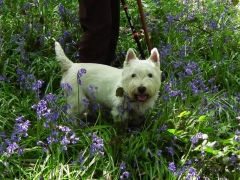
This is a test picture using my laptop
Re: Photos having a go
Posted: Fri Jan 20, 2012 12:00 pm
by DJKeefy
I can see the photo but when i click it, it opens in a new window (tab) it should not do that, it should come out of its placemat on the forum and show on top of the forum, so the forum is underneith, when clicked it shoot back to its thumbnail placemat. is that what you get Horus ?
Re: Photos having a go
Posted: Fri Jan 20, 2012 12:16 pm
by Horus
Yes that is exactly what I get on this machine, but not on my laptop.
Re: Photos having a go
Posted: Fri Jan 20, 2012 12:20 pm
by Horus
Just to add Keefy, that you have to use the 'back' arrow to return to the forum, I would have thought that there would be a 'close' icon or something similar on the picture?
Re: Photos having a go
Posted: Fri Jan 20, 2012 12:31 pm
by Kiya
Re: Photos having a go
Posted: Fri Jan 20, 2012 12:36 pm
by Horus
Dont worry Kiya, it will all come out in the wash as my old Granny used to say.

Re: Photos having a go
Posted: Fri Jan 20, 2012 12:53 pm
by DJKeefy
OK ive fixed it ? now try click on the photo's
I was getting confused cause some say the photos was opening, but it was not opening like it should. I think they meant in a new window.
Re: Photos having a go
Posted: Fri Jan 20, 2012 1:39 pm
by Testme1
Keefy here (Testme1)

you should see a magnifying glass now if you roll over a photo, click the photo to enlarge it, click again to zoom it back to its place holder on the forum.
While a photo is enlarged if you click the photo with you left mouse button and keep the button held down you can move the photo around the page.
You can open as many photos as you want.
Re: Photos having a go
Posted: Fri Jan 20, 2012 2:11 pm
by Kiya
Oh wow !!!! thats working brilliantly

plus on some photos I see a X on photo at bottom right corner, when I click on this X it expands to actual size, much better quality when viewing photos
Keefy so far so good.......who's a happy Kiya now
Thanks for all your effort on fixing it
I'm going to try & upload another photo & hopefully all will be just fine
Re: Photos having a go
Posted: Fri Jan 20, 2012 2:14 pm
by Horus
It all seems to work well now Keefy, I also tried it on my other machine and its OK on there as well. We just need Kiya to pop back on and confirm the problem has gone away, so well done again.

:
Re: Photos having a go
Posted: Fri Jan 20, 2012 2:56 pm
by Grandad
I am liking the new photo arrangements SO much I have added a picture of my little buddy who was three yesterday.

He has some friends coming tomorrow for his party and he has told us that "Grandad can come but Nana is too old but she can look through the window".

Just added it to see if all is well with anything I post......(But I also wanted to show you how 'My Boy' is growing up fast.
)
Re: Photos having a go
Posted: Fri Jan 20, 2012 3:21 pm
by Grandad
Keefy and Horus, I just noticed something?
If Horus' signature is in frame, from his previous post, when I open my picture, H's signature is still there ON TOP of the photo image????
Here is a screen capture

Re: Photos having a go
Posted: Fri Jan 20, 2012 3:43 pm
by Horus
Grandad, thats the new style, I have agreed with Keefy to appear on all your pictures.
But seriously, thats a bit strange, is it a 'refresh' problem?
